Connect Google Ads
Link your Google Ads account, choose the agent that answers leads, and turn on the revenue lifecycle sync.
Connect Google Ads
Connecting Google Ads starts with one field and one button. This article walks all four sections of the settings page in order and tells you what "finished" looks like at each one.
Setup is not complete when the account link verifies — that only means Karmaflow.ai can read Google. The agent that answers leads is chosen in step 3, and nothing is answered until it is.
If you do not run Local Services campaigns, steps 2 and 4 are all you need: reporting on Search, Performance Max and Display spend begins as soon as the account is linked and the nightly sync is on. Step 3 configures lead answering, which only Local Services produces.
What You'll Need
- A tenant administrator account. The Google Ads settings page is admin-only.
- The
agents:sms:managepermission to change any setting on the page;agents:sms:readis enough to view it. - Your Google Ads account ID — the ten-digit number in Google Ads, shown as
123-456-7890. - An SMS agent, if you want leads answered automatically. Create one first — see SMS Agents.
- A service CRM connection — Housecall Pro or Workiz — only if you want jobs and paid invoices attributed in step 4. Spend and leads work without it.
- Anything else you want the agent to act on — booking, availability, dispatch — is separate from that and open-ended: an MCP server connects immediately, an API you can build against with keys from Settings → Access & security → Tenant API Access, and a system that can send an HTTP request can push into Karmaflow.ai's endpoints. Self-serve, or we can set it up with you. See MCP Servers. Not needed to answer leads.
Where the page is
Settings (the gear icon, top right) → Channels → Google Ads · Local Services
The four numbered sections on that page are the four steps below.
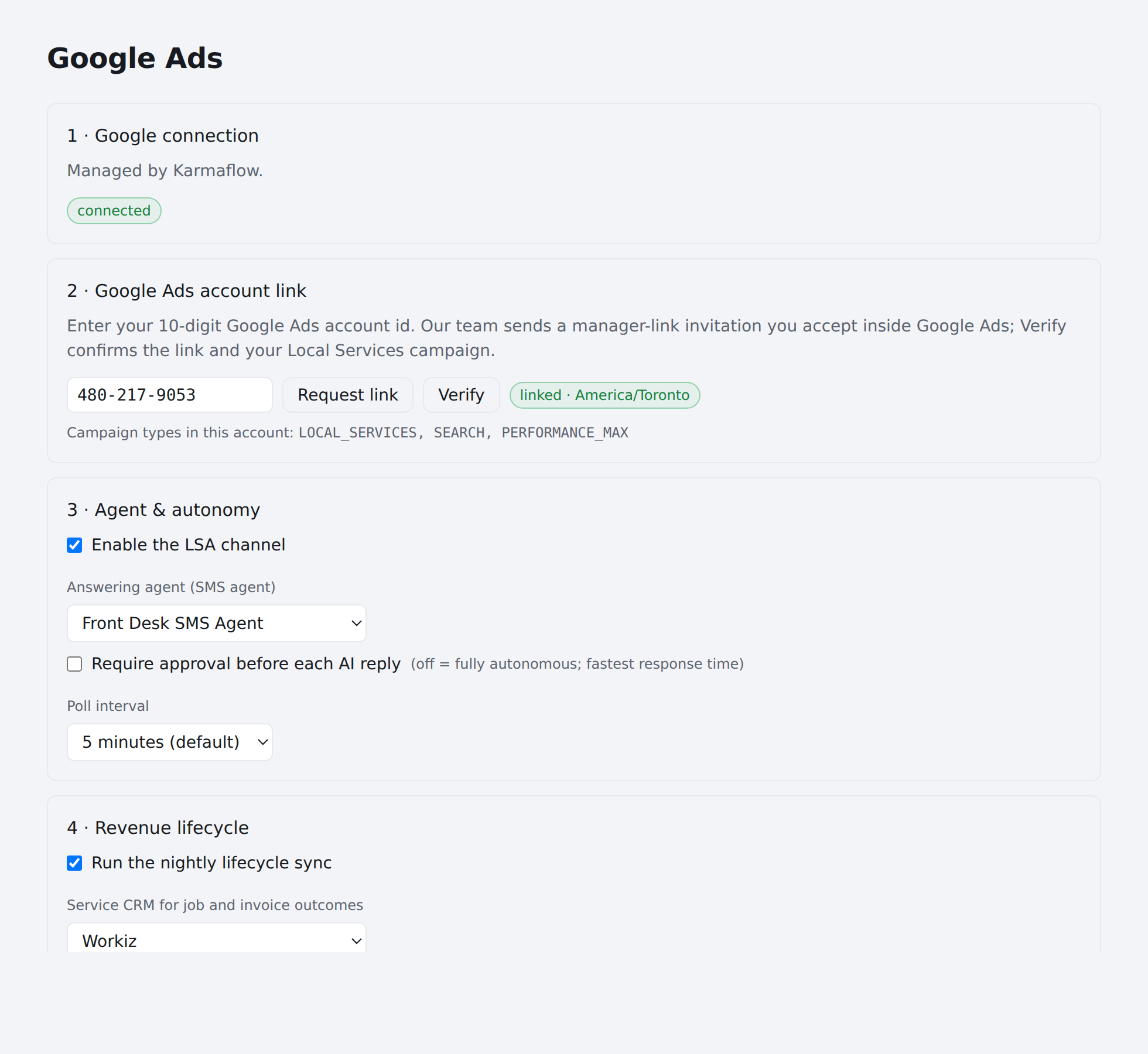
Step 1 — Google connection
Section: 1 · Google connection
Nothing to do here — Karmaflow.ai holds this connection on your behalf.
- When it is in place, the section reads Managed by Karmaflow.
- When it is not, it reads The Karmaflow team completes this step — nothing to do here.
Move on to step 2, which is where you start.
Step 2 — Google Ads account link
Section: 2 · Google Ads account link
This is the whole of enrolment: one field, one button.
- Enter your 10-digit Google Ads account ID. It is shown as
123-456-7890in Google Ads; dashes are optional. - Press Request link. The status chip changes to requested and you can carry on configuring the rest of the page immediately — nothing below depends on the link completing.
- Approval can take up to 24 hours. You will receive a manager-link invitation in your Google Ads account.
- Accept the invitation inside Google Ads. It arrives there, not by email from Karmaflow.ai.
- Once you have accepted, press Verify. It does a real read against your account, so it only succeeds when the link genuinely works.
The status chip tracks where you are: not requested → requested → invite sent → linked, followed by your account's time zone.
Check the time zone once it reads linked. It comes from Google and it is what every daily figure is bucketed by. If it does not match where the business actually operates, fix it in Google Ads — every "today" on the lifecycle page follows it.
If Verify fails, the status shows what Google said. The usual causes are the invitation not yet accepted and a typo in the account ID. Verify is safe to press again — it reads, it does not change anything in your Google account.
If it stays on invite sent for more than a day, check your Google Ads account for a pending manager-link invitation; the link cannot complete until that is accepted.
Step 3 — Agent & autonomy
Section: 3 · Agent & autonomy
This is the step that makes leads get answered.
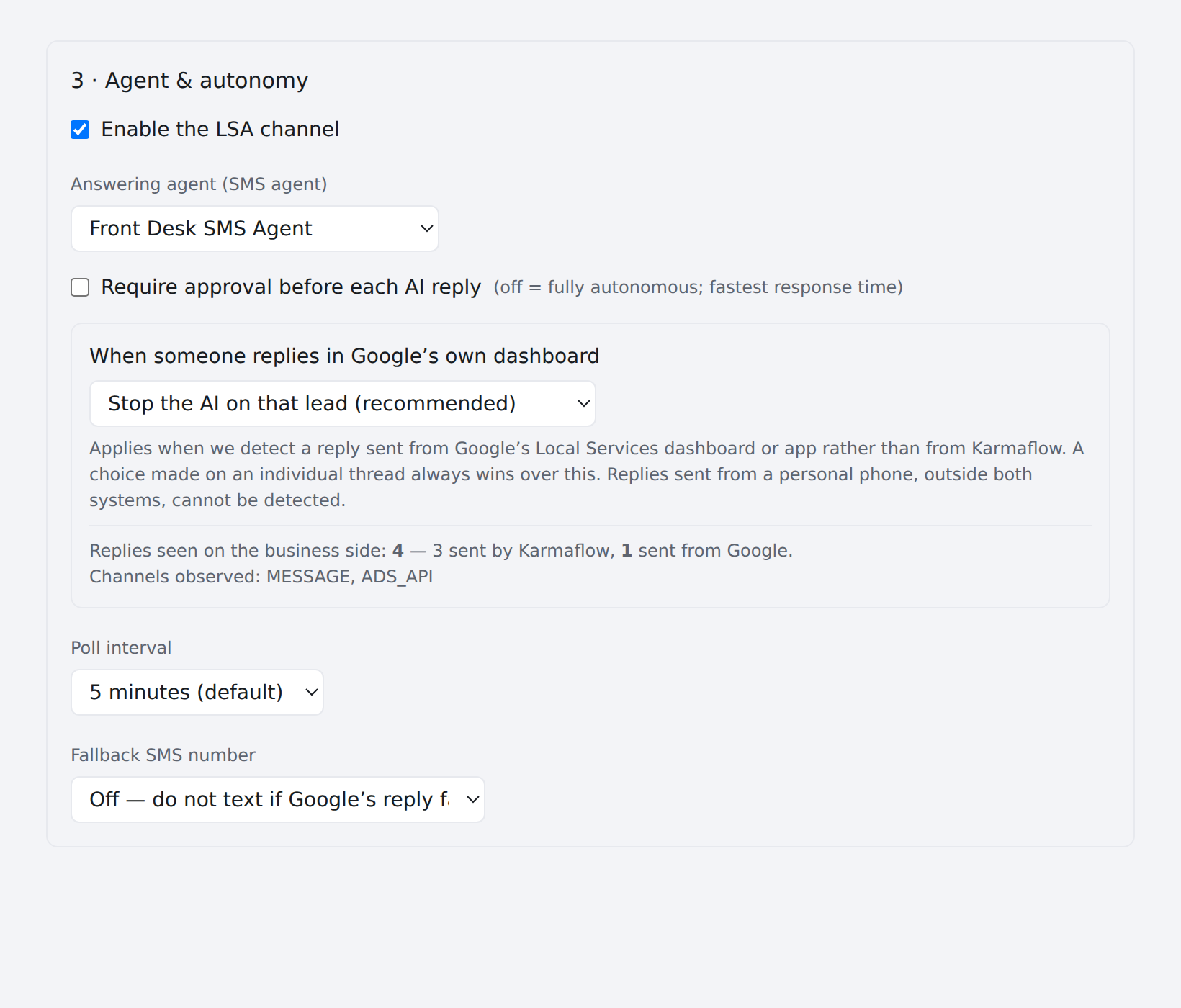
- Enable the LSA channel — the master switch. Nothing is polled while it is off.
- Answering agent (SMS agent) — choose the agent that drafts replies. Until an agent is selected, no lead is ever answered, and the performance panel will report a 0% answered rate for a reason that has nothing to do with the agent's quality.
- Require approval before each AI reply — when on, replies queue at the bottom of this page for one-click approval instead of sending. New connections start with approval on. Turn it off once transcripts look right; Google ranks on response time, and an approval step adds however long it takes someone to notice.
- Poll interval — how often Karmaflow.ai checks Google for new messages. This is your response latency. Shorter is faster and costs more of the shared daily API budget.
- Fallback SMS number — optional. If Google rejects a reply, Karmaflow.ai can send it as a plain SMS from this number instead. Leave it Off to find out when Google's channel is failing rather than silently working around it.
- When someone replies in Google's own dashboard — the takeover policy. See Human takeover; it arrives unset and changes nothing until you choose.
- Import Google Ads lead-form submissions — on by default. Each submission from a lead form on a Search, Performance Max, Video or Display ad becomes a contact, a follow-up task and a notification. The line shows when Karmaflow.ai last checked. Accounts with only a Local Services campaign are skipped, since lead forms cannot attach to one.
- Message-asset starter messages — one per line, copied verbatim from each Search or Performance Max message asset in Google Ads. See Search and Performance Max leads for what it does.
Search and Performance Max leads
Google Ads has no lead inbox for Search, Performance Max or Display. What those campaigns produce reaches Karmaflow.ai through your own numbers and forms, and Karmaflow.ai works out that Google sent it without asking Google.
Message assets. In Google Ads, a message asset adds a Send message button to the ad. Tapping it opens the consumer's texting app with a prefilled starter message, addressed to the number you typed into the asset.
- In Google Ads, create the message asset with SMS messages as the platform and enter your SMS agent's number as the SMS phone number. Google accepts Karmaflow.ai numbers.
- Copy the starter message you wrote there into Message-asset starter messages in section 3. A text whose first line contains it is attributed to that ad.
- For attribution that does not depend on the starter message surviving, reserve a number for ads: open Settings (the gear icon) → Phone Numbers, edit the number, and turn on Google Ads destination number. Every text or call that lands on it is then attributed to Google Ads whatever it says.
The conversation itself needs nothing else: it is an ordinary inbound text from the consumer's real phone, answered by the SMS agent bound to that number, with the usual consent keywords. The contact is tagged google-ads-message-asset, and the count appears in section 3 and on the lifecycle report as From ad message & call buttons.
Calls. A call asset on a Search or Performance Max campaign, and the call destination on a Local Services campaign, forward the call to whatever number you configure in Google Ads. Point it at a Karmaflow.ai number with a voice agent, mark that number as a Google Ads destination number as above, and the call is answered, recorded and attributed to Google Ads. Google passes no click id on a forwarded call, so the landing number is the whole signal — use a number reserved for ads.
Lead forms. Left on in section 3, submissions are imported from every linked account within a few minutes: a contact (matched by email first, then phone), a task titled Follow up Google Ads form lead, and a notification to anyone who can read contacts. Google keeps form leads for 60 days; Karmaflow.ai keeps the record.
Several Google Ads accounts
A workspace can link more than one Google Ads account — several locations, a franchise, or a brand run from an agency. Each account has its own link, answering agent, approval setting and starter messages; the lifecycle report combines all of them.
- At the top of the Google Ads settings page, press + Add another account and enter the account's 10-digit ID and a short label.
- Our team sends the manager-link invitation for that account; accept it inside Google Ads and press Verify, exactly as for the first one.
- Switch between accounts with the row of buttons at the top of the page. Everything below the row belongs to the account shown.
An account can be removed with Remove this account once its channel is switched off; leads, contacts and reports it produced are kept. The daily Google API budget is shared by every account on the platform, so each additional account polling every minute costs the same as the first.
Step 4 — Revenue lifecycle
Section: 4 · Revenue lifecycle
Optional, and only useful if you want spend followed through to revenue.
- Run the nightly lifecycle sync — turn on to materialize the daily facts the lifecycle page reads.
- Service CRM for job and invoice outcomes — choose a connected service CRM, or None — spend and leads only. With none selected the lifecycle page still shows spend, leads, cost per lead and response time; it cannot show booked jobs or attributed revenue, and it says so on each card rather than showing zero.
This picker is about attribution only. It decides which system the lifecycle page reads jobs and invoices from. It does not decide what your answering agent can do — that is granted on the agent itself and is not limited to the systems listed here.
Confirm it works
Three checks, in order of how much they prove:
- Press Troubleshoot. It asks Google what it actually has — unfiltered lead counts — and prints Karmaflow.ai's own gates beside them. This is the fastest answer to "Google shows leads and we show none".
- Press Check reply capability. Reading leads and replying to them are different permissions on Google's side, and only reading gets exercised until a real consumer is waiting. This aims a reply at a lead ID that cannot exist and reports whether Google would have accepted it. Nothing is delivered. A healthy result reads Replies are permitted by Google.
- Wait for a real lead, then check the Performance panel for a non-zero answered count.
Recovering leads from before you connected
New connections deliberately do not answer historical leads — auto-answering months of backlog on day one would be worse than silence. But those leads were also not recorded, which meant leads you paid for could not be worked at all.
Import past leads fixes that: it ingests up to 90 days of history as CRM contacts and replies to nothing. Safe to run once after connecting.
Troubleshooting
"Google shows leads, we show none." Press Troubleshoot. The usual causes are the channel not enabled, the link not verified, a cold-start floor excluding leads older than your connection, or a Local Services campaign that does not exist on the account.
The answered rate is 0%. Check that an answering agent is selected in step 3. The performance panel reports this state explicitly rather than leaving it to be inferred.
Replies fail while polling works. Your Google developer token may be approved for reporting only. Press Check reply capability — if it reports replies are not permitted, that is fixed with Google, not in Karmaflow.ai.
The account links but no leads ever arrive. Check whether the account runs a Local Services campaign at all. Search, Performance Max and Display campaigns produce no leads by design — Google reports their performance, not individual contactable people. That is a working integration, not a broken one: spend, impressions, clicks, conversions and (for Search) impression share and top search terms all still arrive. See what each campaign type gives you.
Next Steps
Want calls answered too? Everything above covers message leads, which are generally available. Having a voice agent answer the calls your ads produce is in private beta — request early access.